
Bihar Registry Jamabandi Panji – Check Land Records Online
Learn how to check Bihar Registry Jamabandi Panji online. Complete guide to Bihar land records, Jamabandi details, registry status, and online verification process.
 TechViaMark
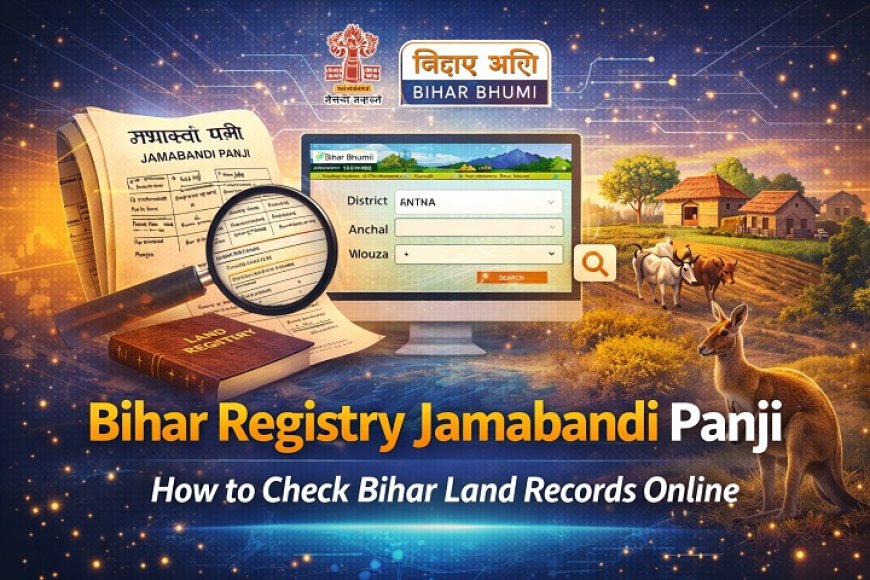
The Bihar Registry Jamabandi Panji system allows citizens to check land ownership and registry records online without visiting government offices. The Government of Bihar has digitized land records to make property information transparent and easily accessible.
Through the official portal Bihar Bhumi, residents can view Jamabandi details, registry status, land ownership records, and other revenue-related information online.
In this detailed guide, we will explain what Jamabandi Panji is, how to check it online, required details, benefits, and frequently asked questions.
What is Bihar Registry Jamabandi Panji?
Jamabandi is an official land record that contains details about:
-
Landowner name
-
Khata number
-
Plot number
-
Area of land
-
Type of land
-
Revenue details
The term Panji refers to the register maintained by the revenue department. Jamabandi Panji is therefore the official record of rights and ownership maintained by the government.
When a property is registered through the Bihar Registry Office, the ownership details are updated in the Jamabandi record.
What is Bihar Bhumi Portal?
Bihar Bhumi is the official online land records portal launched by the Revenue and Land Reforms Department of Bihar.
The portal allows citizens to:
-
View Jamabandi details
-
Check registry records
-
Verify land ownership
-
Track mutation status
-
Download land-related documents
The main aim of this portal is to ensure transparency and reduce land-related fraud.
Importance of Jamabandi in Bihar
Jamabandi is a very important legal document in property matters. It is required for:
-
Buying and selling property
-
Applying for loans
-
Property mutation
-
Court cases related to land
-
Government schemes
Without updated Jamabandi records, property ownership may be disputed.
How to Check Bihar Jamabandi Online?
Follow these steps to check Jamabandi Panji online:
Step 1: Visit Official Portal
Go to the official Bihar Bhumi website.
Step 2: Select “Jamabandi Panji”
Click on the option to view Jamabandi records.
Step 3: Enter Required Details
You may need to select:
-
District
-
Anchal (Circle)
-
Mouza (Village)
-
Khata Number or Plot Number
Step 4: Search
Click on the search button.
Step 5: View Details
Your Jamabandi details will appear on the screen. You can print or download them for reference.
How to Check Bihar Registry Details?
To check property registry details:
-
Visit the official registry portal.
-
Enter deed number or party name.
-
Select district and year.
-
Click search.
You will see registry details including buyer and seller information.
Required Information for Online Search
To access Jamabandi Panji online, you may need:
-
District name
-
Anchal name
-
Village (Mouza)
-
Khata number
-
Plot number
-
Party name (for registry search)
Make sure all information is entered correctly to avoid errors.
Benefits of Bihar Registry Jamabandi Online System
✔ Transparency
Reduces property fraud and fake ownership claims.
✔ Easy Access
Citizens can access records anytime from home.
✔ Saves Time
No need to visit government offices.
✔ Legal Verification
Helps verify property ownership before purchase.
✔ Digital Governance
Supports online public services and record management.
What is Mutation in Bihar?
Mutation means updating land ownership records after property transfer.
After property registry:
-
Apply for mutation.
-
Revenue department verifies documents.
-
Jamabandi record is updated.
Mutation is necessary to officially transfer ownership in government records.
Common Issues While Checking Jamabandi
1. Record Not Found
Ensure Khata and Plot numbers are correct.
2. Website Not Loading
Try again later or use a different browser.
3. Incorrect Details
Contact the local revenue office for corrections.
Safety Tips While Checking Land Records
-
Use only official government websites.
-
Do not share personal details with unknown agents.
-
Cross-check registry and Jamabandi records before property purchase.
-
Keep printed copies for legal use.
Frequently Asked Questions (FAQs)
Q1. Is Bihar Jamabandi check free?
Yes, viewing land records online is free.
Q2. Is online Jamabandi legally valid?
Online copy is for reference. For official purposes, certified copies may be required.
Q3. Can I update Jamabandi online?
No, updates require a mutation process at the revenue office.
Q4. What is the difference between registry and Jamabandi?
Registry is the legal document of property transfer, while Jamabandi is the government land record showing ownership details.
Why Digital Land Records Are Important
The Government of Bihar digitized land records to:
-
Reduce corruption
-
Improve transparency
-
Minimize land disputes
-
Provide faster public services
Digital records make property transactions safer and more reliable.
Conclusion
The Bihar Registry Jamabandi Panji system has made land record access simple and transparent. Through the Bihar Bhumi portal, citizens can check ownership details, registry information, and land records online without visiting government offices.
If you are planning to buy or sell property in Bihar, always verify Jamabandi and registry records before completing the transaction.
Keeping your land records updated ensures legal security and peace of mind.