Manav Sampada UP (ehrms.upsdc.gov.in) – UP Leave Application Service Complete Guide
Manav Sampada UP Leave Application Service on ehrms.upsdc.gov.in allows Uttar Pradesh employees to apply for leave online. Read this complete guide on login, process, benefits, and FAQs.
 TechViaMark
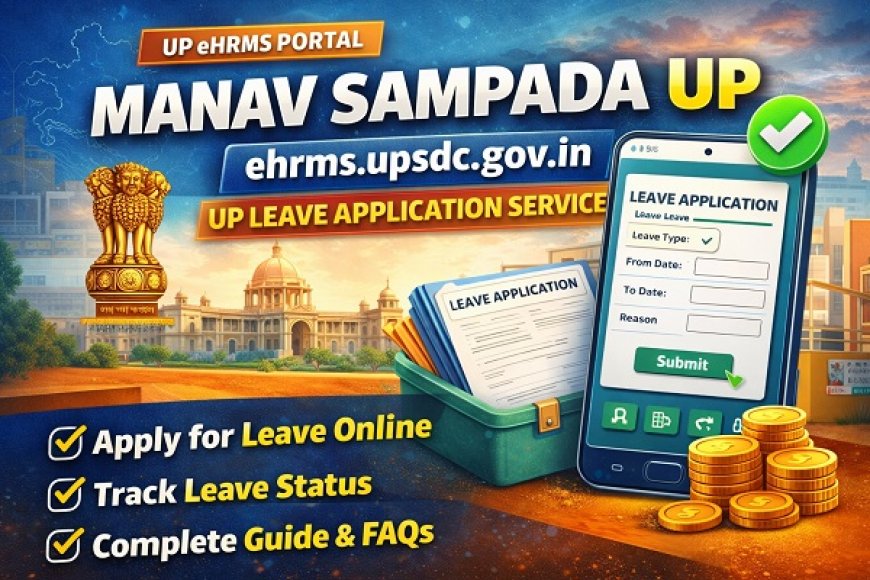
The Government of Uttar Pradesh has taken a major step toward digital governance by launching Manav Sampada UP, an online Human Resource Management System (HRMS). Hosted on ehrms.upsdc.gov.in, this portal simplifies employee services, especially the UP Leave Application Service for government employees.
This article provides a complete, step-by-step guide to the Manav Sampada UP Leave Application Service, including login process, features, benefits, eligibility, and common issues.
What Is Manav Sampada UP?
Manav Sampada UP is an e-HRMS (Electronic Human Resource Management System) developed for Uttar Pradesh government departments. It is managed by UPSDC (Uttar Pradesh State Data Centre).
The platform centralizes employee data such as:
-
Personal details
-
Service records
-
Leave management
-
Transfer details
-
Promotion and posting data
Official Website of Manav Sampada UP
The official portal for Manav Sampada UP is:
ehrms.upsdc.gov.in
All UP government employees use this portal to access HR-related services, including the online leave application system.
What Is the UP Leave Application Service?
The UP Leave Application Service allows government employees to:
-
Apply for leave online
-
Track leave status
-
View leave balance
-
Maintain transparent leave records
This system replaces manual paperwork and ensures faster approvals.
Who Can Use Manav Sampada UP Leave Service?
The service is available to:
-
Uttar Pradesh state government employees
-
Teaching staff
-
Non-teaching staff
-
Departmental officers
-
Contractual employees (as applicable)
Each employee must have a registered employee code to access the portal.
Types of Leave Available on Manav Sampada UP
The leave types depend on department rules, but commonly include:
-
Casual Leave (CL)
-
Earned Leave (EL)
-
Medical Leave (ML)
-
Maternity Leave
-
Child Care Leave (CCL)
-
Study Leave
-
Special Leave
The system automatically calculates eligible leave balances.
Benefits of Manav Sampada UP Leave Application Service
✔ Paperless System
No physical forms or manual registers.
✔ Transparency
Employees can track approval status in real time.
✔ Faster Processing
Leave requests reach authorities instantly.
✔ Centralized Records
All leave history is stored digitally.
✔ Accessible Anytime
Employees can apply from anywhere with internet access.
How to Login on Manav Sampada UP Portal
Follow these steps to log in:
-
Visit ehrms.upsdc.gov.in
-
Click on Login
-
Enter:
-
User ID / Employee Code
-
Password
-
Captcha code
-
-
Click Sign In
After login, employees can access leave services.
How to Apply for Leave on Manav Sampada UP
Here is the step-by-step process to apply for leave online:
Step 1: Login to Portal
Go to ehrms.upsdc.gov.in and log in with credentials.
Step 2: Open Leave Module
From the dashboard, click on Leave Application or Apply Leave.
Step 3: Select Leave Type
Choose the type of leave (CL, EL, Medical, etc.).
Step 4: Enter Leave Details
Fill in:
-
From date
-
To date
-
Reason for leave
Step 5: Upload Documents (If Required)
For medical or special leave, upload supporting documents.
Step 6: Submit Application
Click Submit to send the request to the approving authority.
How to Check Leave Application Status
Employees can check the status easily:
-
Login to Manav Sampada UP
-
Click on Leave Status / Leave History
-
View:
-
Pending
-
Approved
-
Rejected
-
The portal displays remarks from approving officers if any.
Leave Approval Process on Manav Sampada UP
The leave approval workflow usually follows this structure:
-
Employee submits leave request
-
Request goes to immediate reporting officer
-
Officer reviews and approves/rejects
-
Status updates automatically
This ensures accountability and record accuracy.
How to View Leave Balance
To check leave balance:
-
Login to ehrms.upsdc.gov.in
-
Go to Leave Account / Leave Balance
-
View available, used, and remaining leaves
This helps employees plan leaves better.
Forgot Password? How to Reset
If you forget your password:
-
Go to login page
-
Click Forgot Password
-
Enter Employee Code and registered mobile number
-
Verify OTP
-
Set new password
Always keep your registered mobile number active.
Common Problems Faced by Users
Login Issues
Caused by incorrect credentials or captcha errors.
Leave Not Updating
May take time if approval is pending.
Incorrect Leave Balance
Should be reported to department HR/admin.
Portal Downtime
Occurs during maintenance or heavy traffic.
Tips for Smooth Leave Application
-
✔ Apply leave in advance
-
✔ Ensure documents are clear and valid
-
✔ Check leave balance before applying
-
✔ Follow department-specific rules
-
✔ Track approval regularly
Is Manav Sampada UP Secure?
Yes, the portal is hosted by UPSDC, ensuring:
-
Secure login
-
Encrypted data
-
Authorized access only
Employees should never share login details.
Importance of Manav Sampada UP for Government Employees
Manav Sampada UP has improved:
-
HR efficiency
-
Transparency
-
Digital record keeping
-
Employee convenience
It aligns with the government’s Digital India initiative.
Frequently Asked Questions (FAQs)
Is Manav Sampada UP mandatory?
Yes, it is mandatory for most UP government departments.
Can leave be canceled after approval?
Yes, depending on department rules.
Is mobile access available?
The portal is mobile-friendly but works best on desktop.
Who maintains the portal?
UPSDC manages the technical infrastructure.